Say you made a game with AI and want to put it on Google Play yourself. If your personal developer account was created after November 13, 2023, you can’t publish it right away. First you have to finish a closed test with at least 12 testers who stay opted in for 14 days in a row. Then you have to pass the review of your ‘Apply for production’ request.
Under the official rules, the 14-day test plus the production review (usually within 7 days) takes about three weeks, and that clock starts only after you’ve found all your testers. The time you spend recruiting testers and verifying your identity comes before that.
The short version
- Personal accounts created after November 13, 2023 can apply for production only after a closed test in which 12 testers stayed opted in for the full 14 days before the application.
- From the day you have 12 testers, the 14-day test plus the production review (usually within 7 days) takes about three weeks. Back when 20 testers were required, one solo developer needed 26 days or more, not counting recruitment.
- Organization accounts, which require a D-U-N-S number, aren’t subject to this requirement. Building a game with AI doesn’t by itself put it under the ‘AI-generated content’ policy.
Everything below follows the Google Play Console Help Center documentation as of October 7, 2026.
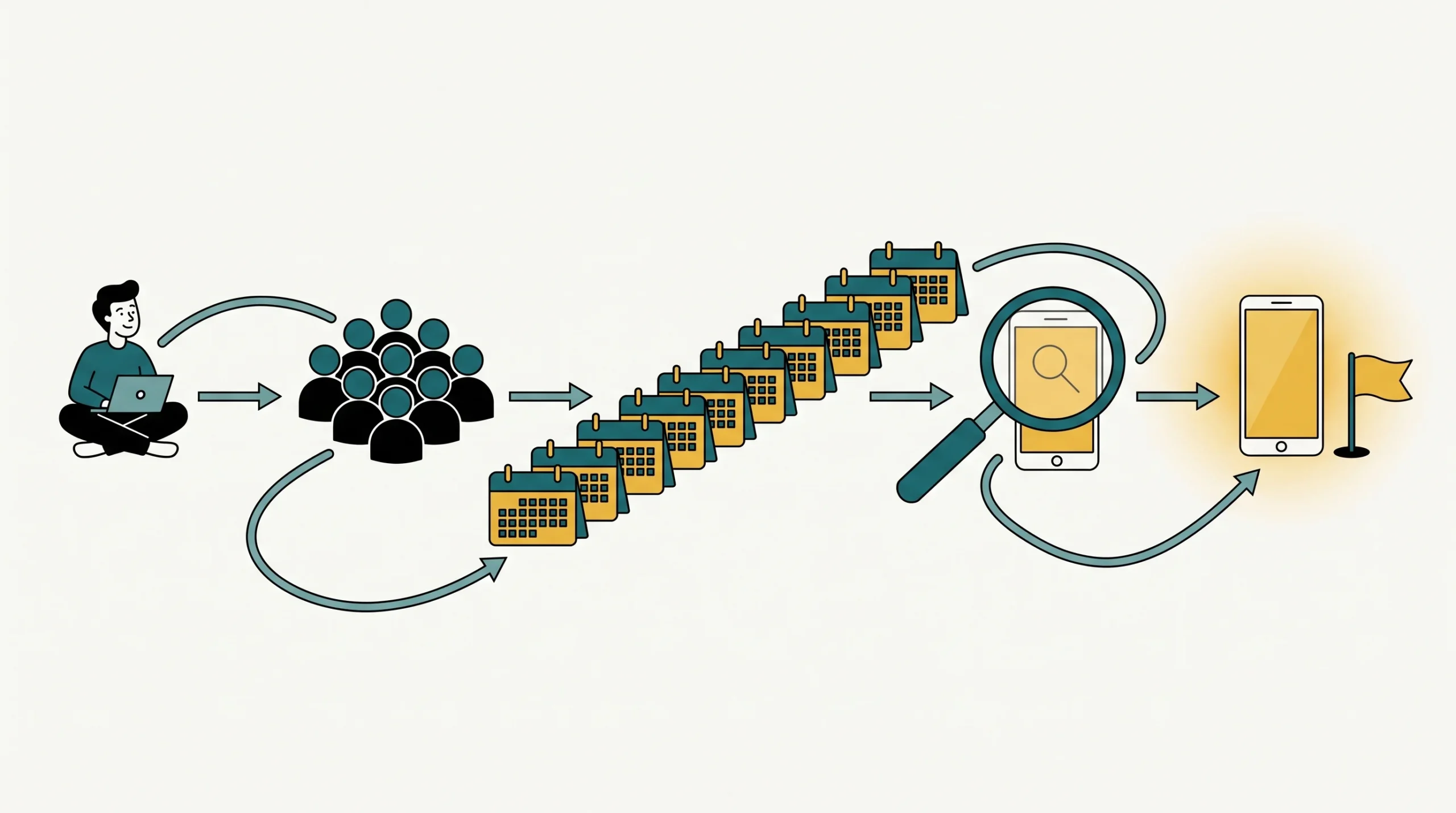
The ‘Google Play review hell’ InkTower made it through
Recently, a post in r/aigamedev, Reddit’s AI game dev community, announced the launch of ‘InkTower’, an idle tower defense game. Its author, u/sketchbookidletower, said they used no image generation model. Every line in the game is drawn by a pen renderer that AI (Opus 5.5) wrote.
Today InkTower finally made it through all the circles of Google Play review hell and got approved. It’s live now on both stores
u/sketchbookidletower, r/aigamedev
So the game finally got through Google Play’s ‘review hell’ and is now out on both Google Play and the App Store. The post doesn’t say which stage held it up, whether it used a personal account, or how long the process took.
Rather than guess at what happened to InkTower, we’ve listed in order the steps that every solo developer publishing a game from a personal account has to go through. InkTower also launched on the App Store, but this article covers only the Google Play process.
Google Play closed testing with 12 testers for 14 days: who has to do it
According to the Play Console Help Center, personal developer accounts created after November 13, 2023 have to test their apps before distributing them on Google Play. The production application asks about your ‘app or game’, so games go through the same process. There are four conditions.
- When you apply for production access, at least 12 testers must be opted in to your closed test.
- Those testers must have stayed opted in for the full 14 days right before you apply.
- Testers who opted in but left before 14 days were up don’t count.
- Testers who opt out and then rejoin have to start a new 14-day streak from zero.
In practice, the count starts on the day all 12 testers are in. If someone drops out and you fall below 12, you have to wait until the replacement has been in for 14 days. It’s safer to recruit a few extra testers than exactly 12.
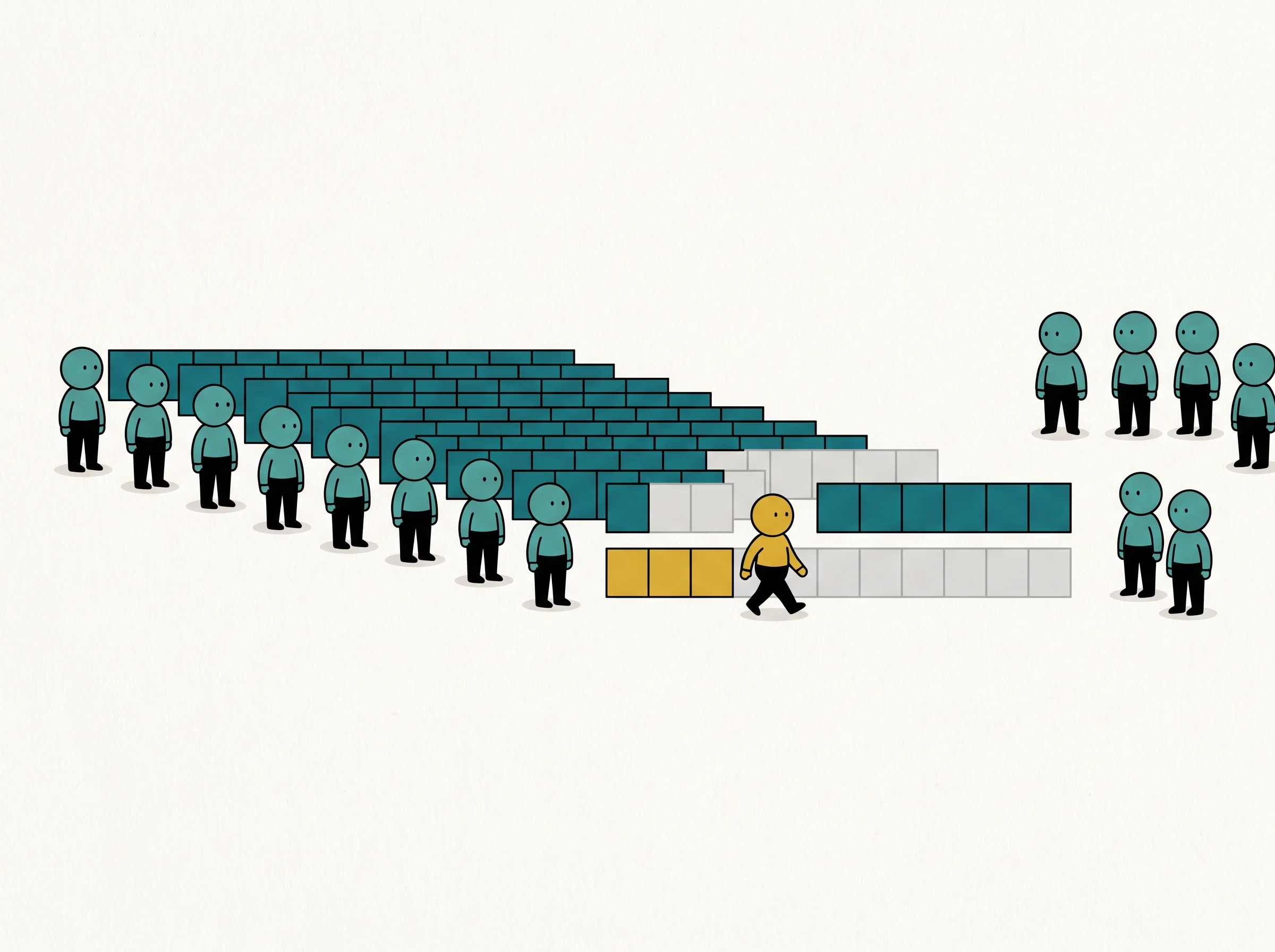
Also check when your account was created. The documentation covers personal accounts created after November 13, 2023, so personal accounts created before then aren’t subject to this requirement.
The required number has changed once. In a November 9, 2023 post on the Android Developers Blog, Google announced that new personal accounts would have to test with ’20 or more testers for at least two weeks’. On December 11, 2024, Google updated the same post and lowered the number to 12. Older write-ups that mention ’20 testers’ describe the old rule.
What the production application asks, and how long review takes
After your 12 testers have been in for 14 days, apply through ‘Apply for production’ on your Play Console dashboard. The form has three sections (closed testing, your app or game, and production readiness) and covers roughly the following.
- How easy it was to recruit testers
- Whether testers tried all the features and used the app the way real users would
- A summary of the feedback you received and how you collected it
- Your target audience, and the value your app offers or what makes your game original
- Expected install range in the first year
- What you changed based on what you learned in closed testing
- Why you think the app is ready to launch
These questions suggest Google cares less about ‘did 12 people install it’ and more about ‘did you really test it, and what did you fix as a result’. Keep a dated log of the feedback you get during testing and the fixes you make. Then filling in the form is easy.
Review usually finishes within 7 days, but it can take longer. The result is sent to the account owner’s email. If you aren’t approved, you may have to keep running your closed test.
Once you’re approved, you can release your app to Google Play users from the ‘Test and release > Production’ page in Play Console. The open testing menu also becomes available then.
How long it takes to launch an AI game
Under the official rules: about three weeks after you have your testers
You can work out the timeline from the numbers in the official documentation. The minimum is 14 days, counted from the day all 12 testers are in, plus the production review. If you allow 7 days for review, the usual maximum, that comes to about three weeks after you’ve gathered your testers. A faster review shortens that. A slower review or a rejection makes it longer.
A real launch also has steps before and after this. Where the official documentation doesn’t give a time for a step, we’ve marked it ‘—’. Next to it is the record one solo developer shared in 2024.
| Step | Official rule | Teveloper’s record (2024, 20-tester rule) |
|---|---|---|
| Identity verification | — | 1 day |
| Closed test build review | — | 7 days |
| Recruiting testers | — | About 1 week (20 testers) |
| Closed testing | 12 or more testers, at least 14 days in a row | 14 days |
| Production application review | Usually within 7 days | 4 days |
This developer wrote that it took 26 days or more, not counting recruitment. The tester count is now down to 12, but the 14-day test and the review period are the same. Once you add recruitment and verification, plan for about a month.
Service providers working under today’s 12-tester rule give similar timelines. Swing2App sells a service on Kmong, a Korean freelance marketplace, that handles closed testing and the release process for you. It estimates about 20–22 days to launch: up to 1 day for app registration, 14 days of closed testing, 1–3 days for the production access review and 3–4 days for the production app review (checked October 7, 2026). It also warns that a rejection at the production stage can mean a further delay while the app is reviewed again.
Closed testing records shared by solo developers
Below, in chronological order, are public write-ups from developers who went through this process themselves. Some are about games and some about regular apps. Posts from before December 2024 were written when 20 testers were required.
| Who (posted) | App & rule applied | What they did | Time taken | Cost | Outcome |
|---|---|---|---|---|---|
| Teveloper, Disquiet (2024-03-29) | Tennis diary app Tiebreak, personal account, 20-tester rule | Got 20 testers from several of their own Google accounts, people they knew, KakaoTalk open chats where developers test each other’s apps, and a paid service on Coupang | Verification 1 day, test build review 7 days, recruiting about 1 week, testing 14 days, production review 4 days | Used a paid service for part of it; we couldn’t confirm the amount | Launched with no rejections. A utility bill was rejected during identity verification, so they submitted a resident registration document instead |
| Roshan Kumar, DEV Community (2024-10-06) | Apps Jaap108 and PanchVeda, personal account (unclear how many testers were required at the time) | Recruited about 15 people through a Google Group and swapped testing with other developers who had the same requirement | Not disclosed | Not disclosed | Reported meeting the requirement. Points out that people drop off at every step from invitation to install |
| Kirishima Shoichi, itch.io (2025-07-11) | Android version of the game ‘Stretch’, 12 testers/14 days | Set up a Discord group and recruited testers one at a time | Not disclosed | Not disclosed | Compared recruiting to building a village from scratch. Didn’t say whether the game was approved |
| crazyhoundgamedesign, itch.io (2025-10-26) | Simple arcade game based on the classics, 12 testers/14 days | Recruited 12 from colleagues, friends and family; got feedback in face-to-face conversations (66%) and by email | 14 days of closed testing (other steps not disclosed) | Not disclosed | Not yet approved when the post was written. Reports that a rejection is likely if you release no updates during testing |
| Nak, Brunch (2026-06-09) | Group alarm app ‘Kkaeumdan’ (깨움단), 12 testers/14 days | Opened a closed test and released one update after another based on tester feedback | Started May 27; 12 version updates by June 7 | Not disclosed | Didn’t share the result of the production application |
The first thing they have in common is that recruiting was hard. Teveloper wrote that it’s no easy task for an individual developer to find 20 closed testers. Roshan Kumar noted that people drop off at each step: the invitation, the opt-in link, accepting and installing.
Second, they used the testing period to fix things. Nak released 12 versions between May 27 and June 7. Since you can only find so many bugs on your own, Nak advised lining up your 12 testers in advance.
Roshan Kumar posted in October 2024, before the requirement changed to 12 testers, so it’s unclear which number applied then. Also keep in mind that the author runs LaunchReady, an app where developers swap testers.
Production rejections: the official reasons vs. what developers report
The official documentation gives two example reasons for rejection: fewer than 12 testers opted in, and insufficient tester engagement. Google hasn’t said how it judges ‘insufficient engagement’.
Developers have offered their own explanations for that missing piece.
- crazyhoundgamedesign (October 2025) wrote about a ‘hidden requirement’: if you release no updates at all during testing, Google is likely to reject your production application. The official documentation says nothing about having to update.
- Sri1 on the Google AI Developers Forum (May 2026) said their AI debate app ‘Ramdos Arena’ had gone months without getting production access. Human testers found 13 bugs, which were fixed on the backend. Sri1 argues that because those fixes didn’t show up as app version updates, the review couldn’t see them. Neither a reply from Google nor the actual cause has been confirmed.
Tester-recruiting services also make updates during testing a condition. We checked listings on Kmong on October 7, 2026. Swing2App says you need to release one app update during the 14 days of closed testing. Gyulabs (규랩스) says it will extend the service period for free if you’re rejected after releasing ‘at least 2 new versions within 14 days’. The required number differs from one provider to the next, and Google hasn’t published any such rule. Don’t treat these numbers as official.
The form does ask directly what you changed because of testing. If you upload builds that fix problems testers reported, you’ll have something to write on the form. You’ll also avoid the ‘test with no updates’ that developers worry about.
Personal vs. organization (business) account: which should you publish from?
There are two types of Google Play developer account: personal and organization. Students, hobbyists and amateur developers are supposed to choose a personal account. Organizations and businesses are supposed to choose an organization account. An organization account requires a D-U-N-S number, which you can get free from Dun & Bradstreet.
The official documentation applies the 12-tester, 14-day testing requirement only to ‘personal accounts created after November 13, 2023’, so organization accounts aren’t covered. Nak also wrote that a business account can open the production track right away.
We couldn’t find an official statement that says outright that organization accounts are exempt, though. We’re inferring it from the wording about which accounts the requirement covers.
| Category | Personal account | Organization (business) account |
|---|---|---|
| Who it’s for | Students, hobbyists, amateur developers | Real organizations and businesses |
| When creating the account | — | D-U-N-S number required (free) |
| 12-tester, 14-day closed test | Required for accounts created after November 13, 2023 | Doesn’t apply |
| Timeline to launch | 14-day test after you have your testers + production review (usually within 7 days), plus recruiting and verification time before that | No time added for the testing requirement |
The choice is simple. If you already run a business and can get a D-U-N-S number, an organization account lets you skip the 14-day testing period. If you made the game on your own as a hobby, a personal account is the right choice. In that case, plan from the start for 12 testers and about a month before launch.
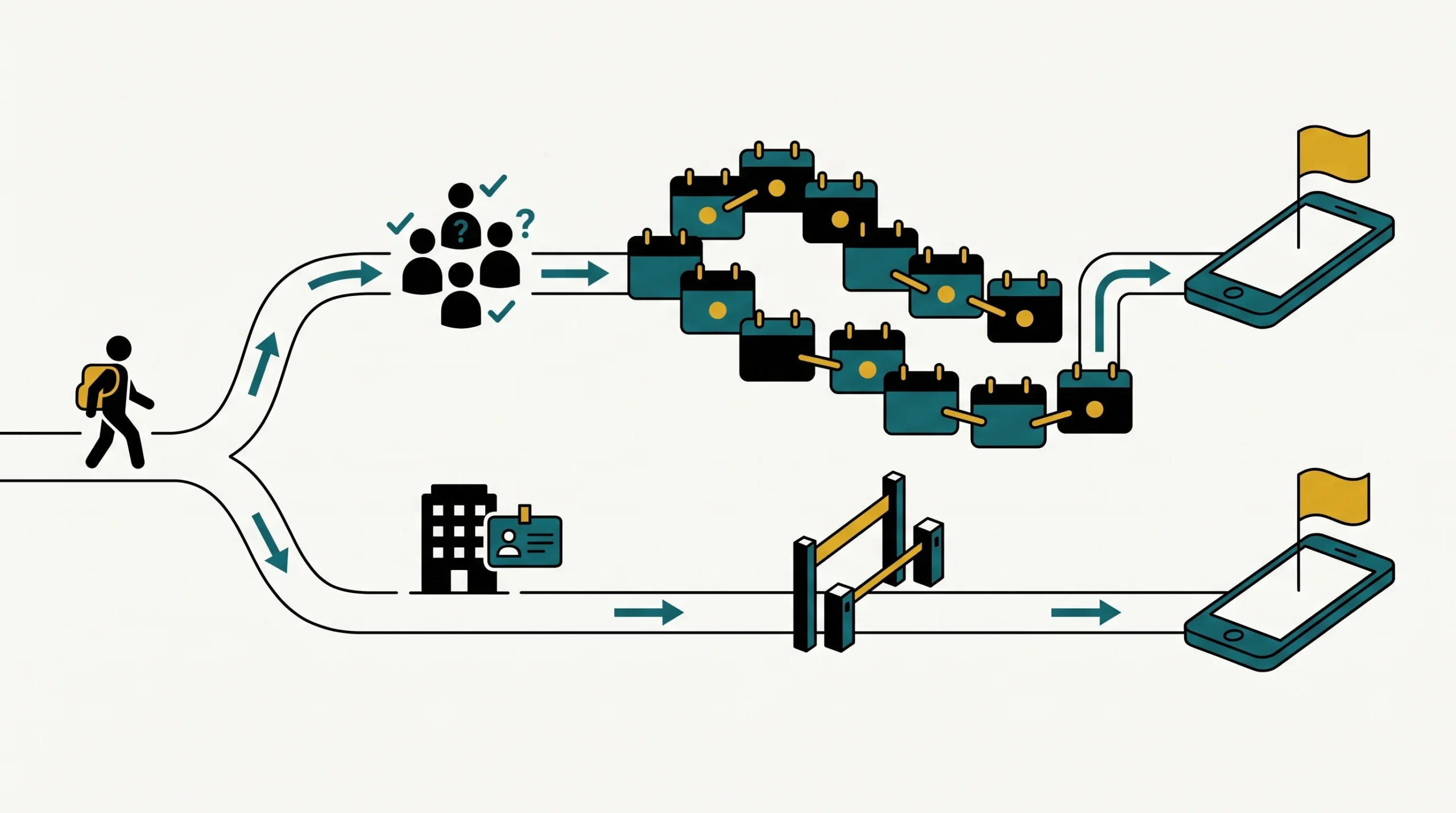
Organization accounts are for real organizations and businesses. You can’t choose one just to avoid testing.
Does an AI-made game fall under the ‘AI-generated content’ policy?
Not just because AI helped build it. Google Play’s AI-generated content policy applies to apps that use AI to generate content for their users. The policy gives these examples:
- Apps whose main feature is chatting with an AI chatbot
- Apps that generate images with AI from text, voice or image prompts
- Apps that use AI to create voice or video of real people
Take a game like InkTower, where AI wrote the code during development. If the game offers no generative AI features to players, it’s nothing like the policy’s examples. If you add AI chat characters or image generation to your game, though, check this policy before launch.